Use a recovery code when your sign-in code doesn't arrive
A recovery code takes the place of the six-digit code enrola emails you. Use one when that email doesn't reach you, for example because your mailbox filters it out or delays it, or when enrola says it couldn't send your code. Anyone can make a set of recovery codes for their own account.
Make your recovery codes
Do this while you can still sign in, and keep the codes somewhere safe.
- Select your first name at the top right, then Edit user.
- Select Recovery codes.
- Select Make my recovery codes. If you already have some, the button says Make new recovery codes.
- enrola shows "Save your recovery codes" and lists 10 codes, such as ABCDE-FGHJK.
- Save them. Select Download as a text file, or copy them into a password manager.
- Select I've saved them, continue.
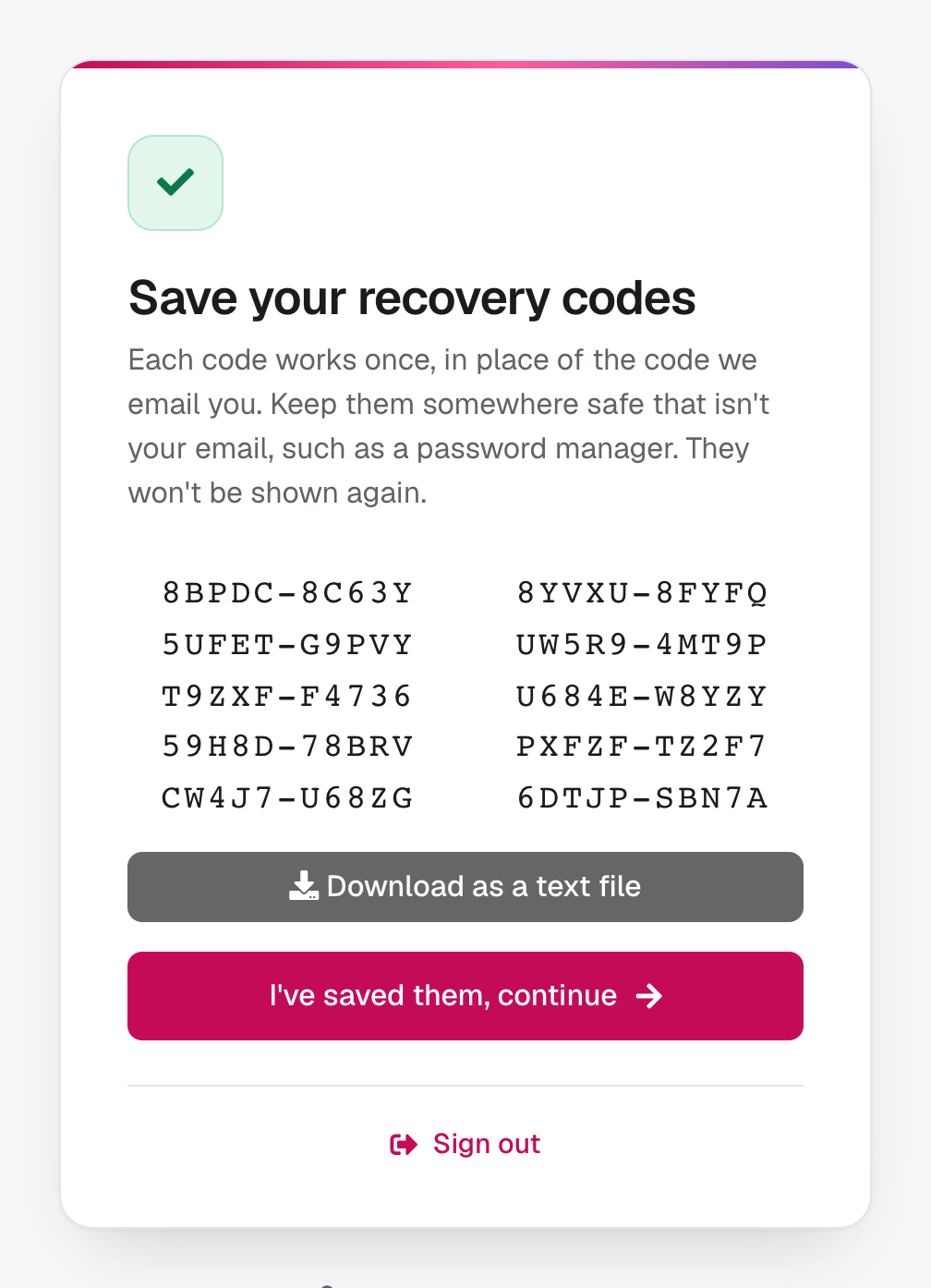
enrola shows the codes only this once. Keep them somewhere that isn't your email, because you need them when your email isn't working. enrola emails you "enrola: new recovery codes for your account" each time you make a set.
Important. Making a new set stops all your old codes working. The Recovery codes page says how many unused codes you have left.
Only you can see or make your codes. An Admin, a Team Owner or the enrola team can't make them for you or see them.
Sign in with a recovery code
- Sign in with your email address and password as usual.
- On the "Check your email" page, select Use a recovery code.
- Type one of your codes into Recovery code. Capitals, spaces and the dash don't matter.
- Select Sign in with a recovery code.
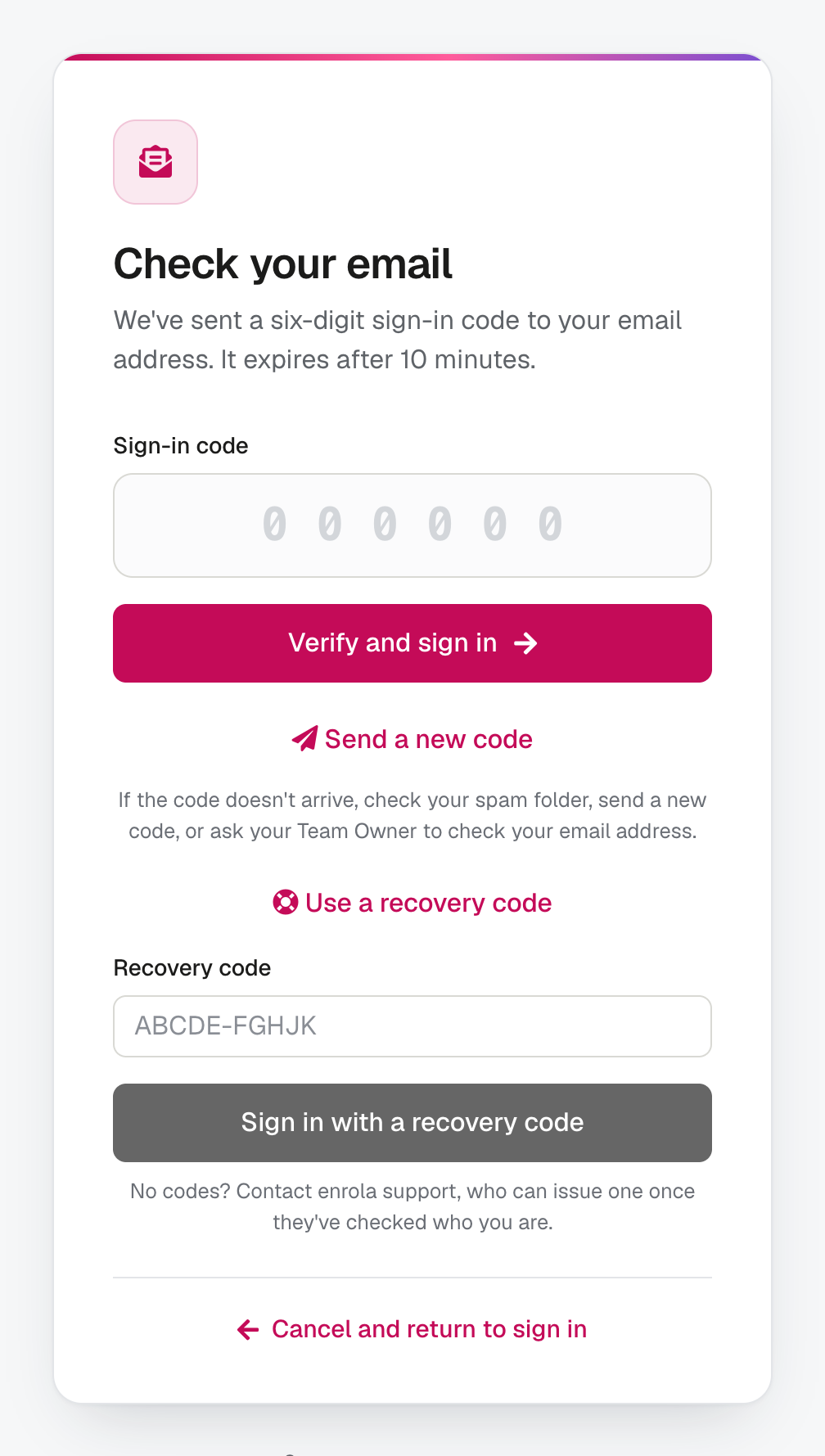
Each code works once. A recovery code works even if the emailed code has expired or was thrown away after too many wrong tries.
enrola emails you "enrola: a recovery code was used" each time you sign in with one. The email says how many saved codes you have left. When you have used your last one, make a new set once you are signed in.
You still need your password. A recovery code only replaces the emailed code. If you have also forgotten your password, you need the reset email, so contact support (see below).
If you have no recovery codes
Contact enrola support at support@enrola.co.uk. Once they are sure who they are speaking to, for example by calling you back on a number they already hold, they can issue a single recovery code for you.
- It works once, for 24 hours.
- It replaces any code support issued before. Your own saved codes keep working.
- enrola emails you "enrola: support issued a recovery code".
Use it in the Recovery code box, as above.
Team Owners are asked to make codes
Admins can't change a Team Owner's account, so a Team Owner who can't get their sign-in code may have no one in the organisation to help. If you are a Team Owner with no saved recovery codes, enrola asks you to make them after you sign in with a code. It shows "Set up recovery codes" and keeps bringing you back there until you select Make my recovery codes. You can also select Sign out.
If enrola remembers your browser, you sign in there without a code, so enrola asks the next time you sign in with one.
Wrong codes and limits
- A wrong recovery code counts as a wrong sign-in code. enrola shows "The verification code is not valid."
- Recovery codes don't get round a pause. While sign-in codes are paused for your account, enrola refuses recovery codes too. See Enter the sign-in code enrola emails you.
Keep your codes safe
Warning. Anyone with your password and one of your recovery codes can sign in as you. If you get a recovery code email you didn't expect, choose a new password straight away, make a new set of codes and contact support at support@enrola.co.uk.
- Your codes keep working when your password or email address changes. If you think someone has seen them, make a new set.
- Codes are only for signing in to enrola's screens. Connections that use enrola's API don't use them.